My home storage ran on an Orico MetaBox Pro HS500 Pro for a long time. Five bays, 2.5GbE, an Intel Celeron N5105, and internal M.2 slots. For the footprint it’s in, that’s a well-built machine, and none of the hardware has given me a single problem.
The software was a different story.
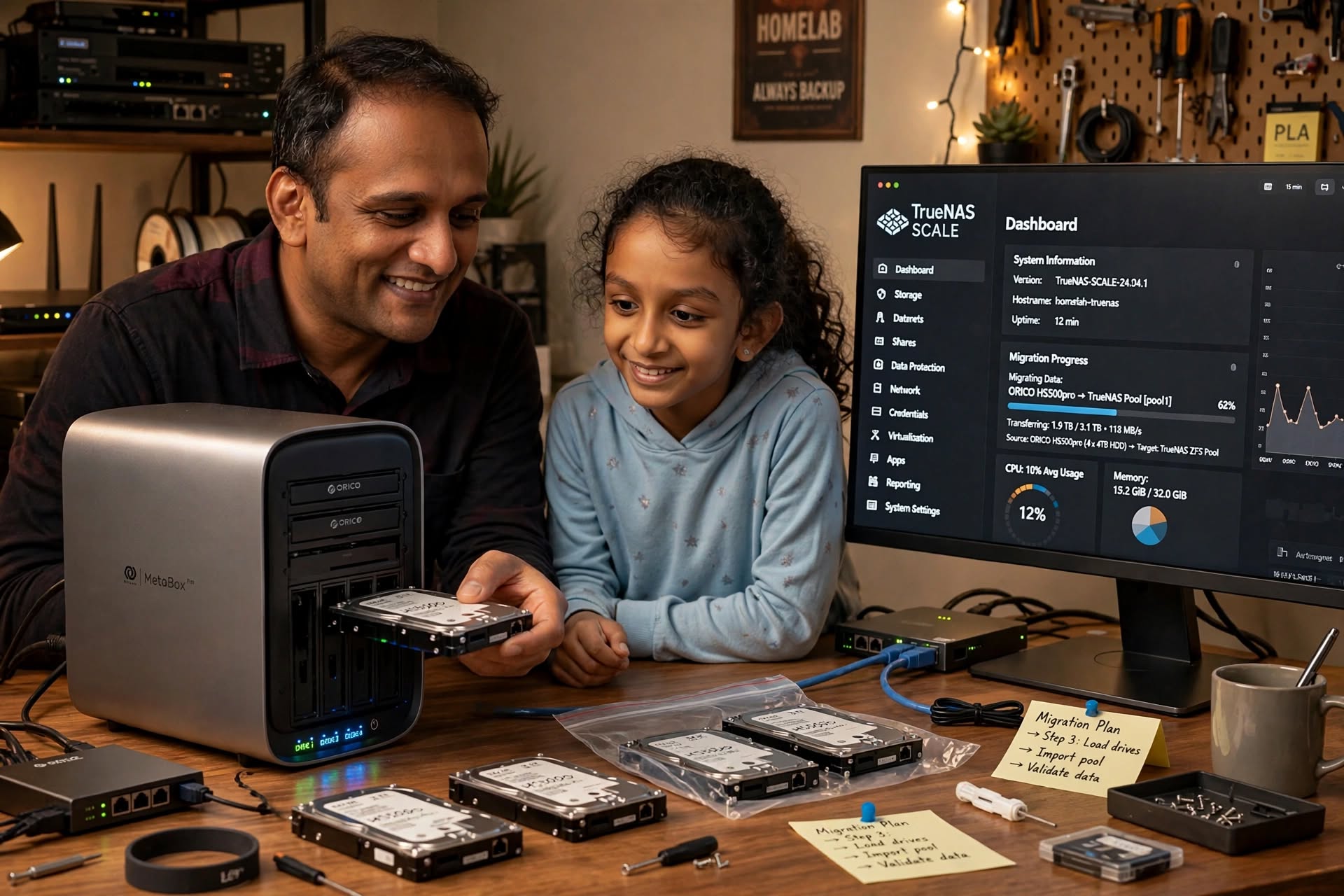
It shipped with Weline OS, which is a locked-down Linux behind a panel that doesn’t do what it says on the tin. After a long enough fight with it, I stopped trying to make it work and moved the whole thing to TrueNAS SCALE Community Edition. This is the actual sequence I used, including the parts that went sideways.
What was wrong with Weline OS
The clearest problem is that remote access doesn’t go to your NAS. It goes through the vendor’s relay network, which is how they get around CGNAT for people who can’t port forward.
If you care about where your family’s files are, that’s the first thing to look at. It means someone else’s infrastructure sits between you and every byte. It also means bandwidth limits, and whoever runs the relay can see metadata for everything you move.
Beyond that, the day-to-day experience was just thin.
The mobile app was slow enough that my family stopped using it. Browsing a folder with 200 photos on my S23, on 5GHz WiFi two feet from the Deco, would take 10-15 seconds and drop the stream halfway. Same folder in Immich now loads in under a second on the same hardware.
You can’t declare your own container arguments, read raw logs, set granular dataset permissions, or watch actual hardware metrics. Some of it is hidden, some of it is just broken.
And everything depends on that proprietary relay. The vendor can retire it next quarter. When that goes away, a working NAS becomes a brick with good drives in it.
That last one is what finally decided it for me. It wasn’t performance. I had built a family photo archive on infrastructure whose lifetime was a business decision made somewhere else. That was it. I was done.
Staging the move so nothing went dark
TrueNAS can’t read Weline’s partition layout, so the data drives have to be wiped to build a clean ZFS pool. Wiping the only copy of the family photo archive on a Sunday afternoon is not a plan.
I have a second machine in the homelab, a Fodenn Mini PC, and that turned out to be the whole trick:
- Provision the Mini PC as a temporary TrueNAS instance with its own drives.
- Move the live workloads over first — Immich above all, since that’s what the family actually uses day to day. Once the Mini PC was serving traffic, the Orico box wasn’t in the critical path anymore.
- Take the Orico box offline and treat it as a blank canvas. Wipe the flash, change boot order, experiment, break things. Nothing was at risk because production was already somewhere else.
If you don’t have a spare machine, the same idea works with a large external drive and a couple of evenings, but having a real second node made this painless.
Installing onto the eMMC
The N5105 is x86_64. There’s nothing exotic about the platform.
Don’t install to a USB stick. TrueNAS writes logs and metrics constantly and it’ll wear the thing out. The internal eMMC is fine, and if you’d rather have the OS on NVMe the M.2 slots are right there.
For the BIOS, power up and mash Delete or F2 for the AMI setup. Leave Secure Boot enabled. TrueNAS ships a signed shim and bootloader chain specifically so it can boot with Secure Boot on. The only setting you actually need to change is boot order — put the installer USB first.
Install to the eMMC, pull the USB when it’s done, and the five bays stay free for data.
What ZFS actually gave me
Two things matter more than the rest of the feature list.
Checksums. Every block written is hashed, and the hash is stored separately from the data. TrueNAS runs scrubs on a schedule, walking the pool and comparing what’s on disk against what should be there, repairing mismatches from the mirror or parity. I had a drive start throwing bad sectors and ZFS had been quietly compensating for weeks before I noticed anything. I can’t go back to a filesystem that can’t tell me it’s corrupting files.
ARC. ZFS caches hot file data in RAM, and unlike ext4’s page cache it understands ZFS blocks, so it holds metadata and the small files that make directory listings crawl. Default cap is about half of installed RAM, which on this box is more usable cache than Weline ever had available. It’s why everything feels instant now.
Snapshots came with the same change, and I use them more than I expected. Snapshot before any bulk operation; if I delete something at 2am the folder is back before I’ve finished making coffee.
One ZFS rule worth getting right
People repeat “ZFS needs identical drives,” and the reason most guides give is wrong. The precise rule: within a single vdev, the vdev is sized by its smallest disk. Mirror a 4TB with an 8TB and you get a 4TB mirror with 4TB usable — the other 4TB of the bigger drive is money you can’t use. Across vdevs, sizes can differ freely, and that exception is what makes mixed-capacity expansion possible.
This is why I went to four identical 4TB drives instead of mixing in larger ones. With four equal drives you have two reasonable layouts: RAIDZ1 for 12TB usable and one disk of redundancy, or two 2-disk mirrors for 8TB usable but far faster rebuilds and writes. I took the two mirrors, because a 4TB resilver on RAIDZ1 takes a long time and hammers the whole pool while it runs. On a box this size, rebuild time is the constraint that matters.
Getting the data in
For pulling data off other machines — legacy Docker volumes from my Linux Mint box under /mnt/nas-docker-data, for instance — GUI copy tools fell over on large streams. rsync over SSH didn’t:
# -A -X keep ACLs and xattrs, -H keep hardlinks, --retry ride out blips
rsync -avzAXHP --retry --info=progress2 \
  /mnt/nas-docker-data/ \
  user@truenas-target-ip:/mnt/storage-pool/orico-backup/
Two practical notes. The destination dataset has to be shared with ACLs enabled, or your SSH user has no write path into it. And when a transfer this size finishes, run it again with –dry-run and confirm the file list is empty — don’t trust the exit code on a multi-hour copy.
The dataset holding your app data should live on the pool, not the boot device. On TrueNAS everything you configure is a ZFS dataset, so leaving apps on the eMMC means your whole config sits on the least durable thing in the machine.
The Immich database restore — the part that fought back
This was the part that fought back hardest.
Immich keeps all of its metadata in a tightly-coupled PostgreSQL instance. I had multi-gigabyte historical .sql dumps from the old setup, and the normal high-level container tooling kept failing to load them — connection timeouts, refused schemas, partial imports that left the app in a weird state. Each attempt through the app layer was another twenty minutes of nothing.
Dropping straight to the database container worked immediately:
# Stop Immich first, then push the dump straight into psql via stdin
docker exec -i immich_postgres psql -U postgres -d immich < /mnt/backups/immich_db_dump.sql
psql is the right tool for a plain-text dump. If your dump is in Postgres custom format, use pg_restore instead:
docker exec -i immich_postgres pg_restore -U postgres -d immich < /mnt/backups/immich_db.dump
The ordering matters more than the command. Stop the Immich containers, let the app initialize a fresh database so it creates the current schema, and only then restore into it. Restoring over a database that Immich has already populated means you’re loading historical rows on top of live ones, and you’ll hit key conflicts — most often in the users table, where email became a primary key in a later schema revision. If a dump predates that change, expect friction there specifically.
If you want to skip the logical dump entirely, the physical route is fewer moving parts, with the tradeoff that it’s tied to the Postgres major version:
docker run --rm \
  -v immich_postgres_data:/src -v /mnt/backups:/dst \
  alpine tar czf /dst/immich_pgdata.tar.gz -C /src .
Either way, restore the photos and videos separately — that part is just files on a dataset, and it moves fastest with a second rsync pass.
Networking: Deco, Caddy, and not opening more than you need
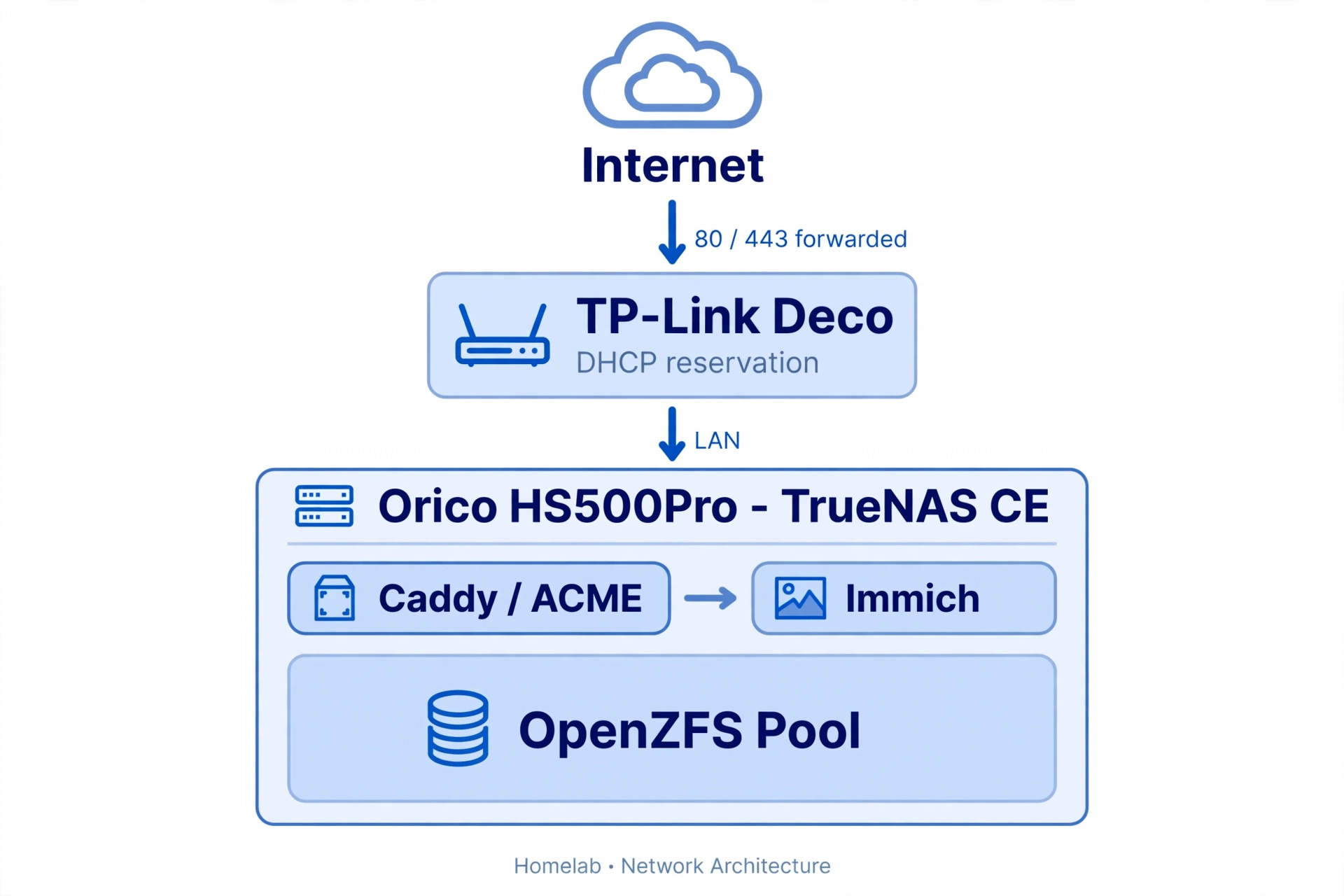
Once Immich was stable internally, the last job was getting to it from outside without the vendor relay and without exposing more than necessary.
My network runs on a TP-Link Deco mesh. Two things had to be right:
DHCP reservation. In the Deco app, find the MAC address of the NAS NIC and pin it to a static IP. Otherwise the address shifts when the lease expires and Caddy’s certificates stop matching.
Port forwarding. Forward external 80 and 443 to that reserved IP. Caddy handles ACME itself, talks to Let’s Encrypt, and provisions certificates without any hand-maintained config.
Worth being deliberate about the second step. Port forwarding means inbound traffic from the whole internet landing on your box, so the rest of the surface stays shut:
- Don’t forward 5432 or 22. Postgres and SSH stay on the LAN, and you reach them over the mesh or a VPN.
- Turn on the TrueNAS firewall and be deliberate about which interfaces the app services bind to.
- If you’d rather not have 80/443 open at all, switch Caddy to the DNS-01 challenge. You get certificates with zero inbound ports, using a DNS API token instead.
- If you’d rather not have inbound ports or a certificate dance, skip forwarding entirely and put WireGuard or Tailscale in front. For a family archive, a VPN is the more honest answer, and it’s what I’d choose if I were rebuilding this today.
Caddy is still the right tool either way. I use tls internal for services that only need to work inside the house, so it issues from a local CA rather than reaching out to Let’s Encrypt at all — no external dependency, no DNS records, and you install the root cert on your devices once. The config lives in a synced dataset, so a rebuild is docker compose up -d and nothing more.
The other half of the speed story
The N5105’s integrated UHD 600 has Quick Sync, and passing it through to the container means hardware transcoding instead of CPU transcoding — that’s the difference between an N5105 keeping up with phone uploads and not. Two caveats I’d have saved myself some confusion on:
- AV1 has no hardware decode on Gemini Lake. Anything imported in AV1 gets software-decoded or re-encoded on playback. Pick your import format accordingly.
- Facial recognition doesn’t use the iGPU. Immich’s detection runs on the CPU through OpenVINO. It’ll be fine at family-photo scale, but it’s why the CPU graph in the app’s statistics is busier than the GPU one.
If you’re coming from another TrueNAS box
Different problem, and the ordering is the entire answer: pools first, applications later.
Don’t deploy anything on the new machine yet. Move the drives across, import the existing pool from the Storage screen, and confirm your datasets, permissions, and share paths all came back clean. Only then point your apps at those datasets. Importing a pool is cheap and reversible; deploying containers against a half-imported pool is neither.
And if the boot device dies, your data is fine — ZFS keeps its metadata on the data drives. Reinstall onto a fresh boot device, upload the config backup from /data/.system, and the pool comes back as it was. The only confusing part of that recovery is the password prompt: it only appears if you ticked “encrypt” when you exported the config. An unencrypted backup restores with no credential step at all.
Small things that bit me
- NVMe doesn’t hot-plug. TrueNAS picks up a new drive on boot or on a rescan from the Storage screen, not live.
- Don’t use a cheap SSD as a SLOG. It only helps with synchronous writes, and it needs to be mirrored with a power-loss-protected device. A consumer SSD without PLP will take the pool down when it fails.
- Skip the L2ARC on a small box. Under roughly 8GB of RAM, an L2ARC can’t hold your working set and costs you more than it returns. Let the ARC do the work.
Where it landed
The hardware didn’t change. A five-bay box that felt like a toy now runs ZFS with checksums and scrubs, real container workloads, proper certificates, and no third-party relay sitting in the path. The interface is responsive in a way it never was, and the family photo archive that everything else was built around is finally on infrastructure whose failure modes I understand.
TrueNAS permissions are harder than a toggle in a consumer panel, and I spent real time on dataset ACLs before shares behaved the way I expected. That friction is the trade. It’s the difference between an appliance that does a fixed set of things and a system where I can see and change what’s happening underneath.
If you’re on a vendor image and feel boxed in, move the data off first, keep a second node on standby, and take the hardware back.